Splunkyard
A Splunk cluster planned, built and handed over from one screen. I wrote it so the job is done the same way every time, and so every step leaves a record.
- 01GatherWhat the design needs first: access, environment, profiles, sizing.
- 02DesignDraw the cluster. Machines, network, disks, hosts.
- 03ExecuteReview, prepare, install, configure, check.
- 04MaintainRead the running cluster back. Health, files, history.
- 05DocumentHand over files, or the whole project as one archive.
Splunk collects and searches the logs of a company. At any real size it is not one server. It is a group of machines, each with its own job, and they must be set up to agree with each other.
Splunkyard keeps that whole job in one place. You draw the group, it checks the drawing, builds the machines on VMware, installs Splunk and connects the machines to each other.
Before a step runs, it shows which machines the step will touch and which it leaves out. A step can be repeated. Nothing runs by surprise.
Every change goes into a journal: who, when, what, and the result. Passwords and keys are hidden in the journal, in the logs and in the exports.
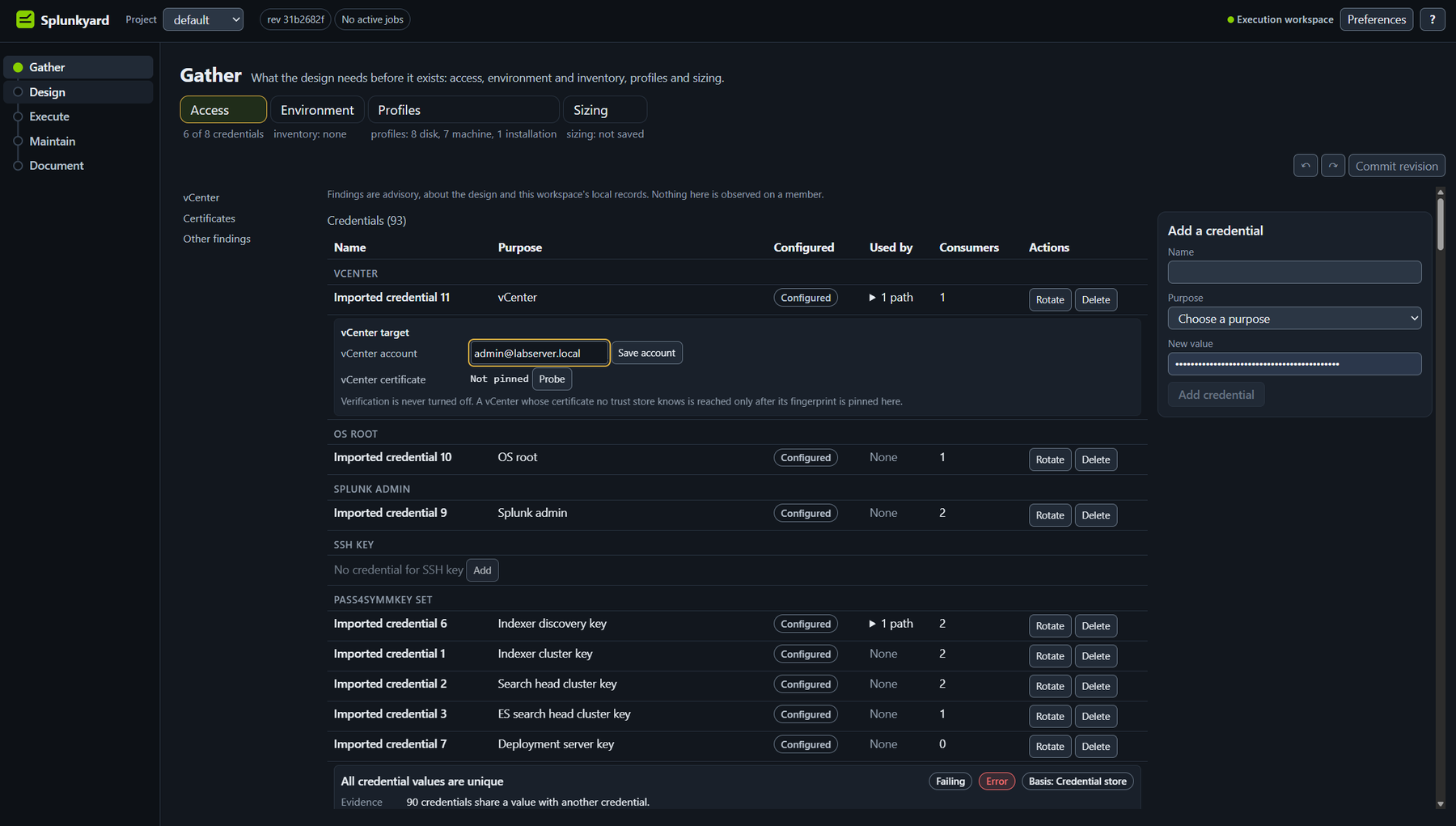
It starts with what the design needs. Who may log in where, which environment, which machine and disk types, how big.
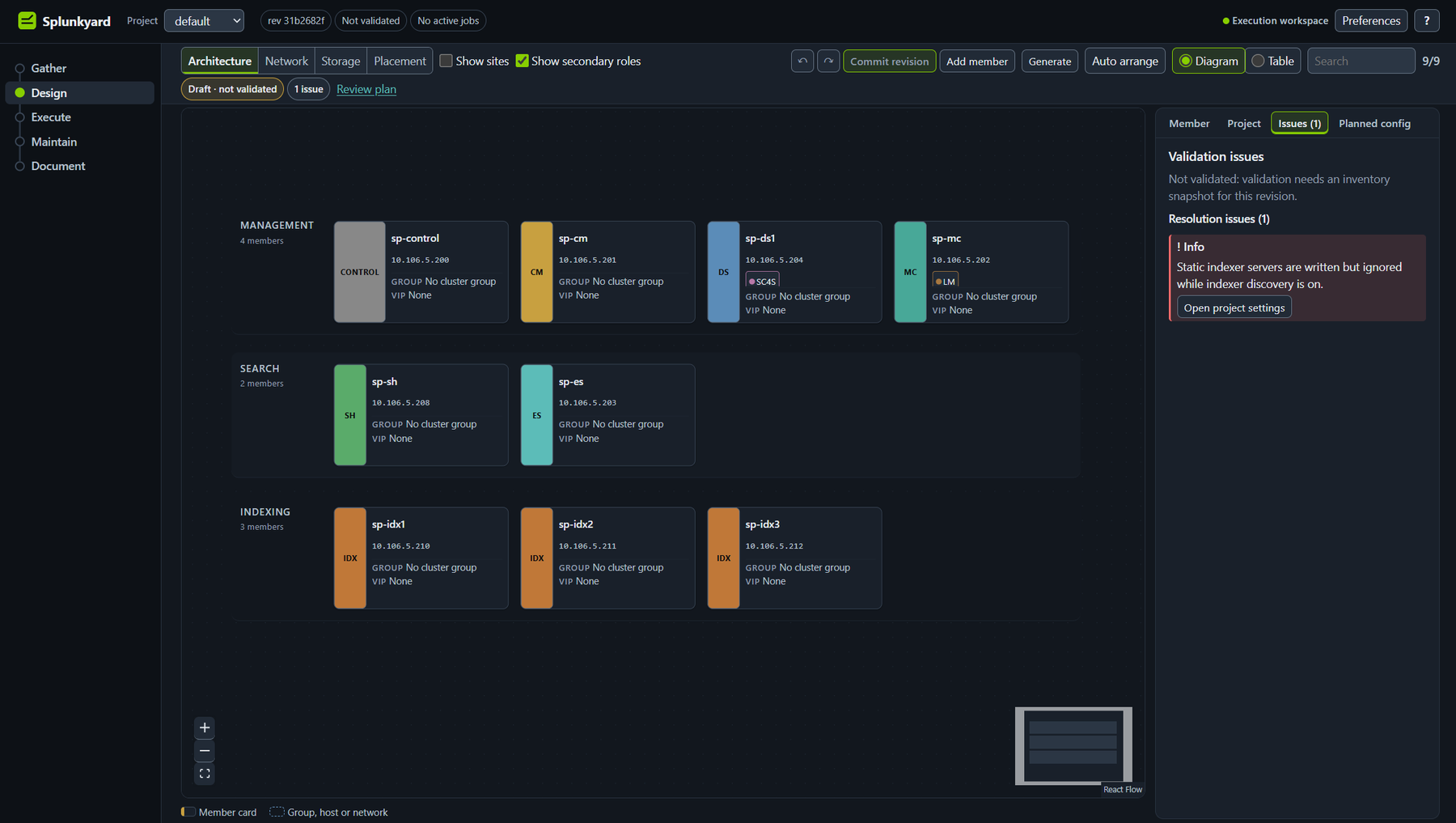
Design is a drawing of the cluster. Nine machines here, grouped by job: management, search and indexing. Each colour is one job.
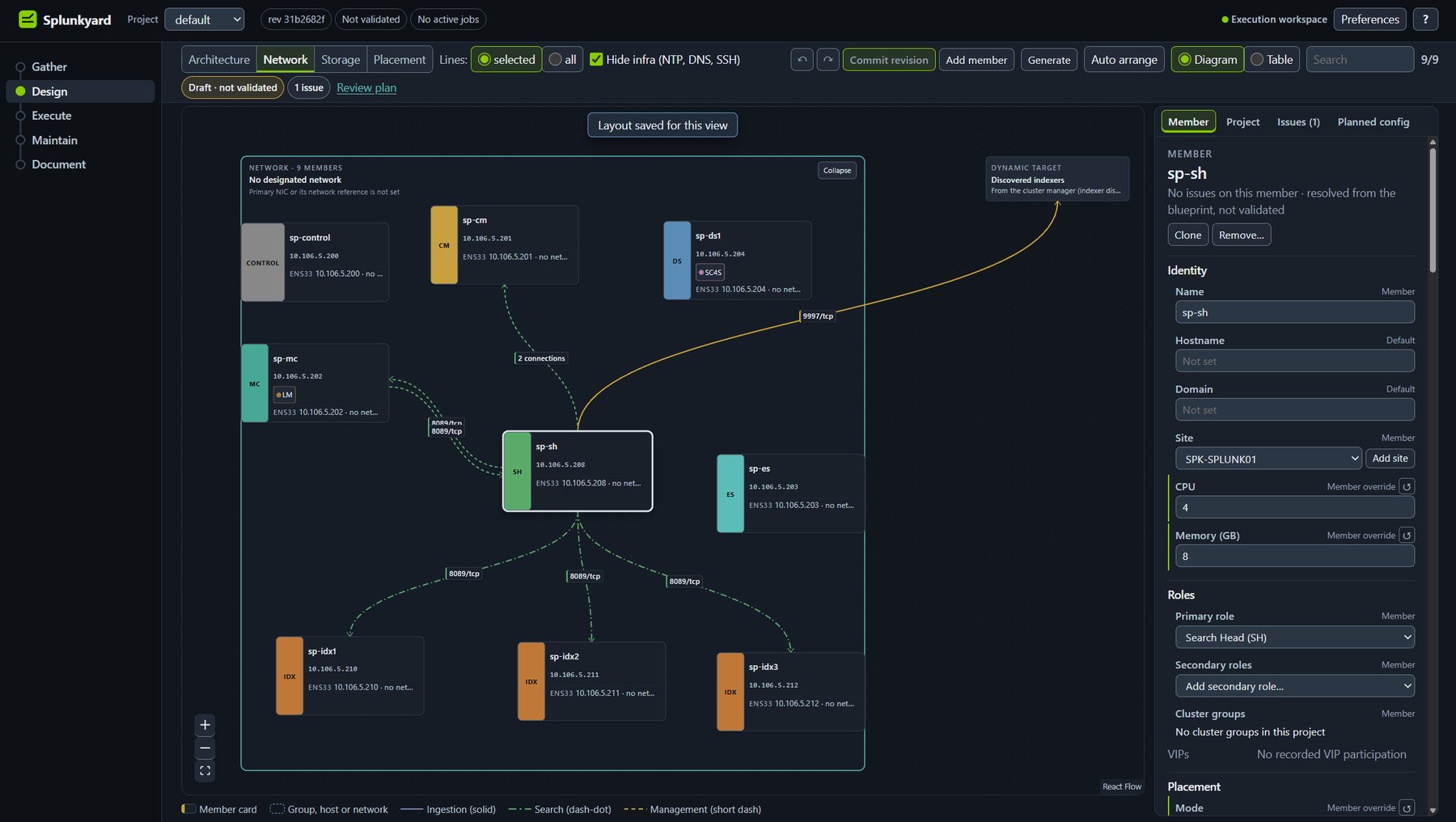
Switch the view and the same machines answer another question. Network shows who talks to whom.
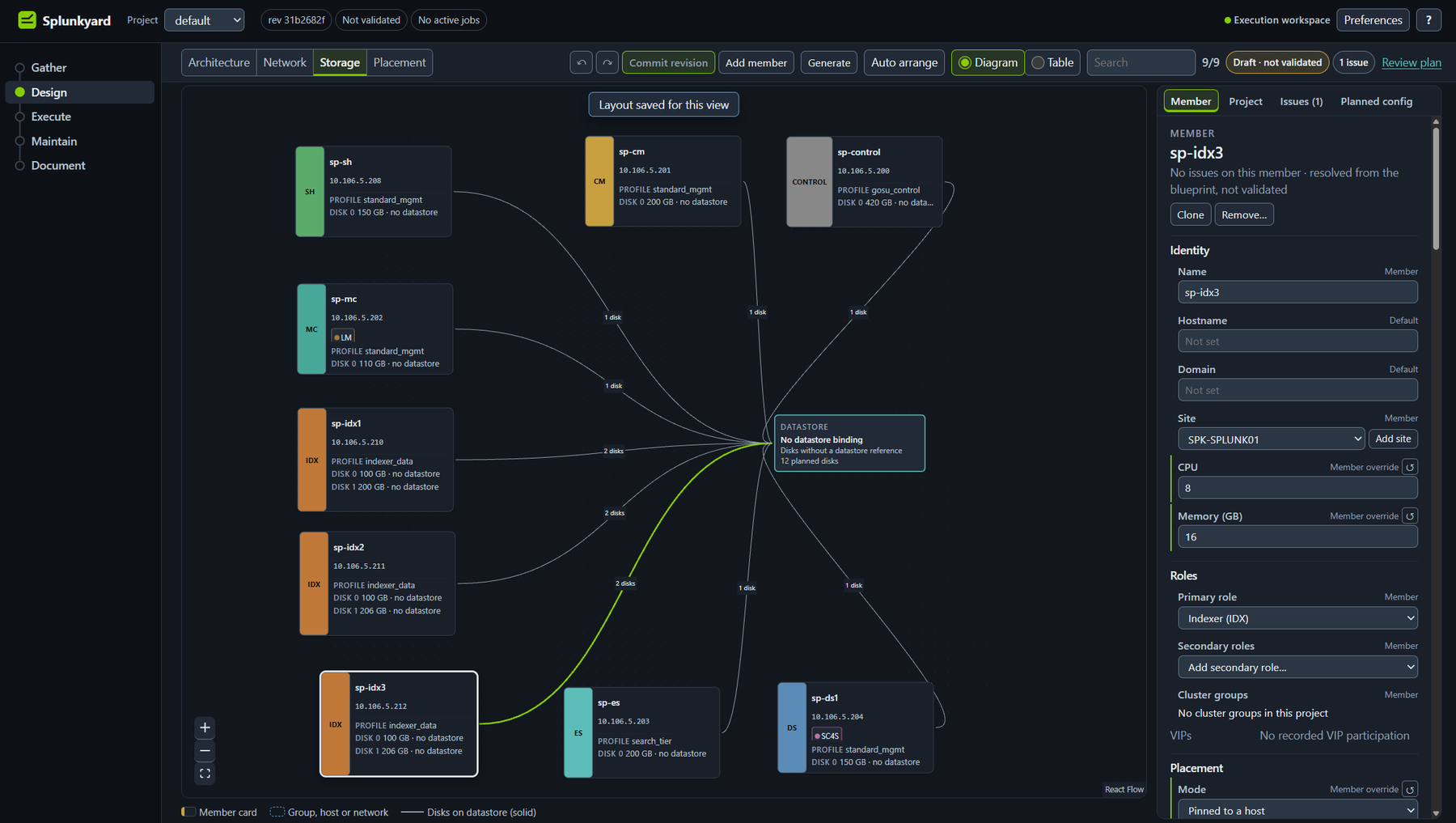
Storage shows where every disk lives.
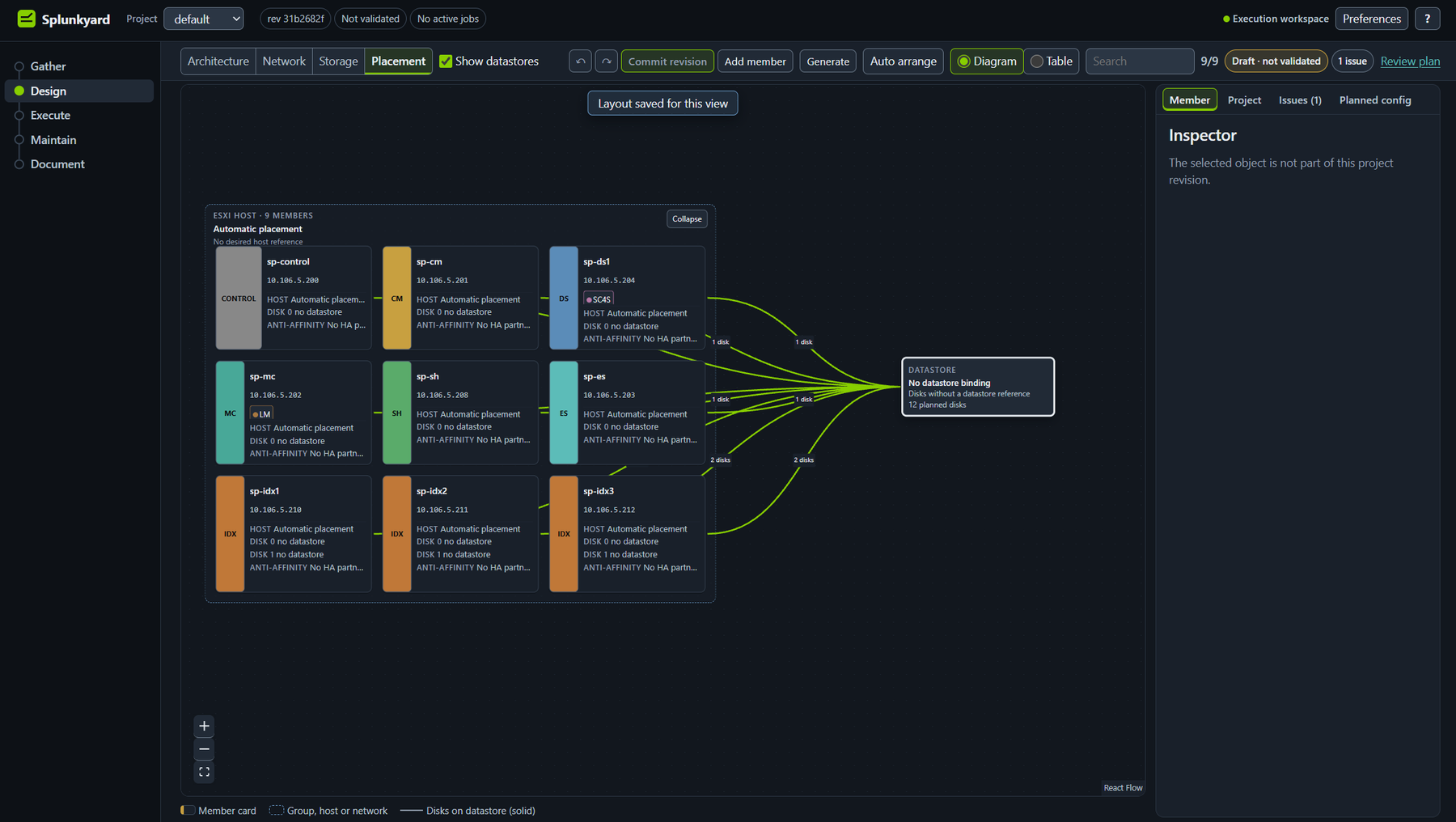
Placement shows which VMware host runs which machine.
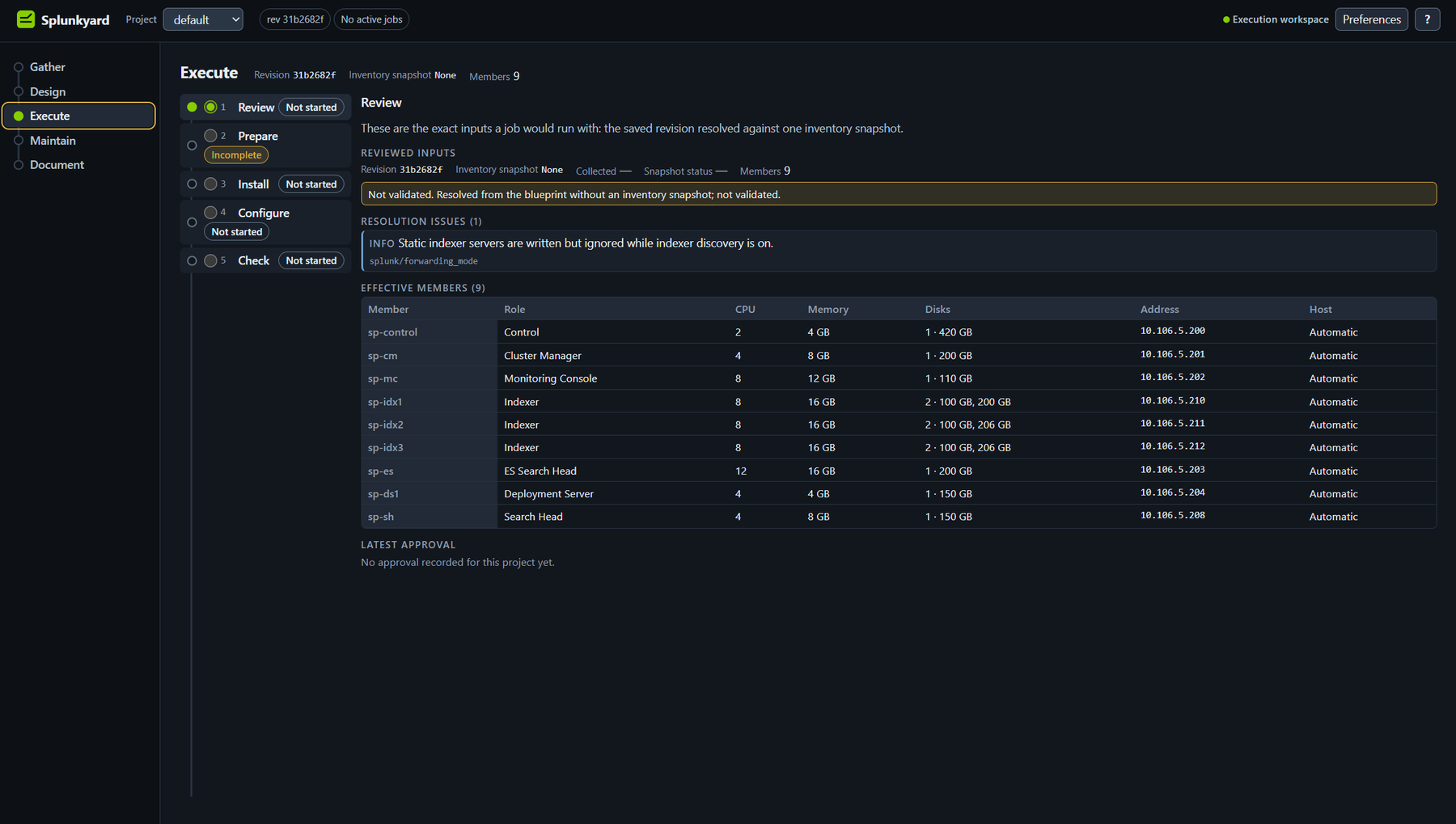
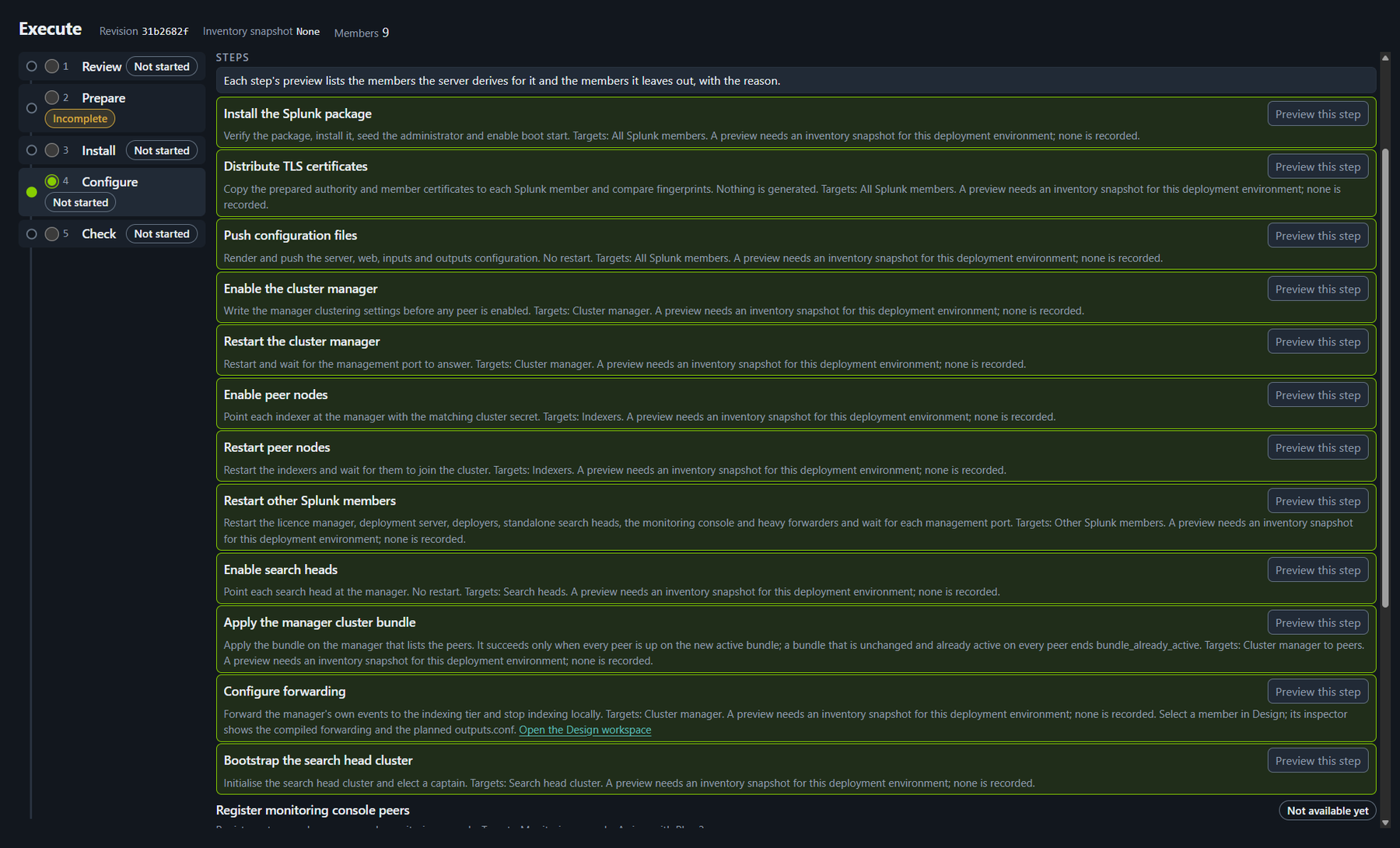
Execute is five steps: review, prepare, install, configure, check. Review comes first. It lists exactly what a job would use.
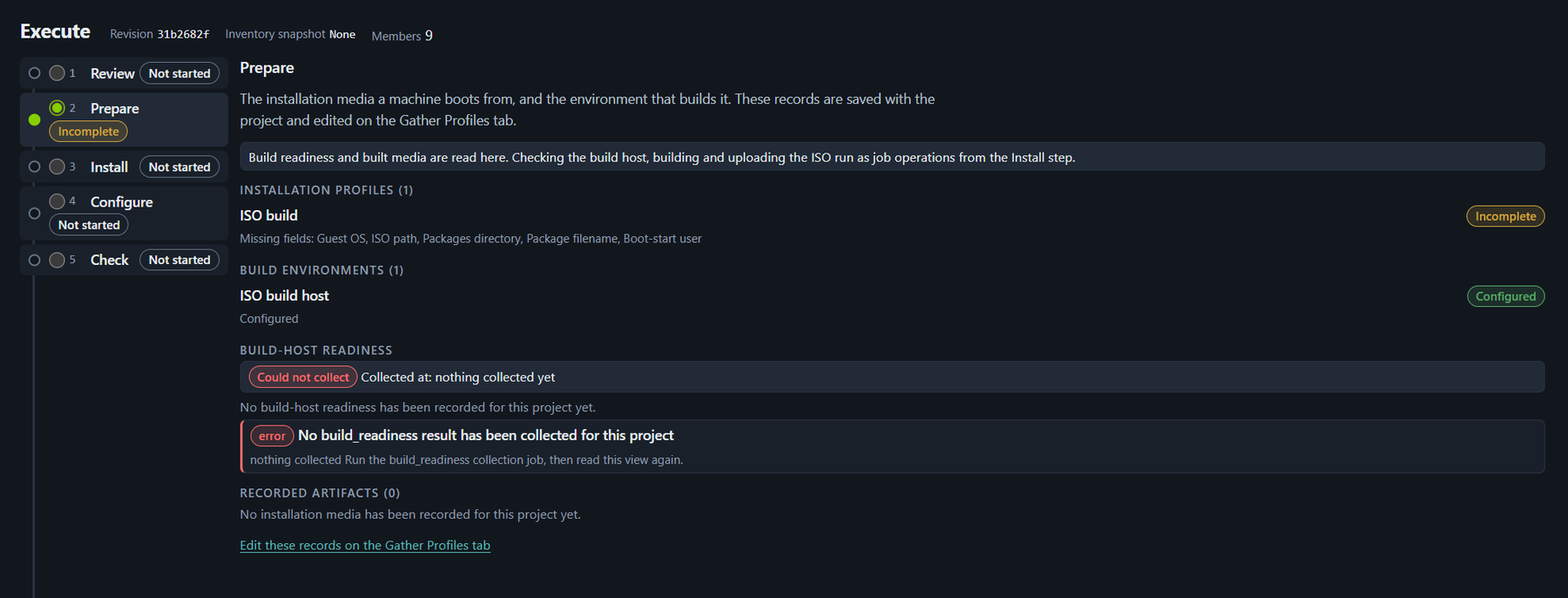
Prepare is the installation disc the machines start from.
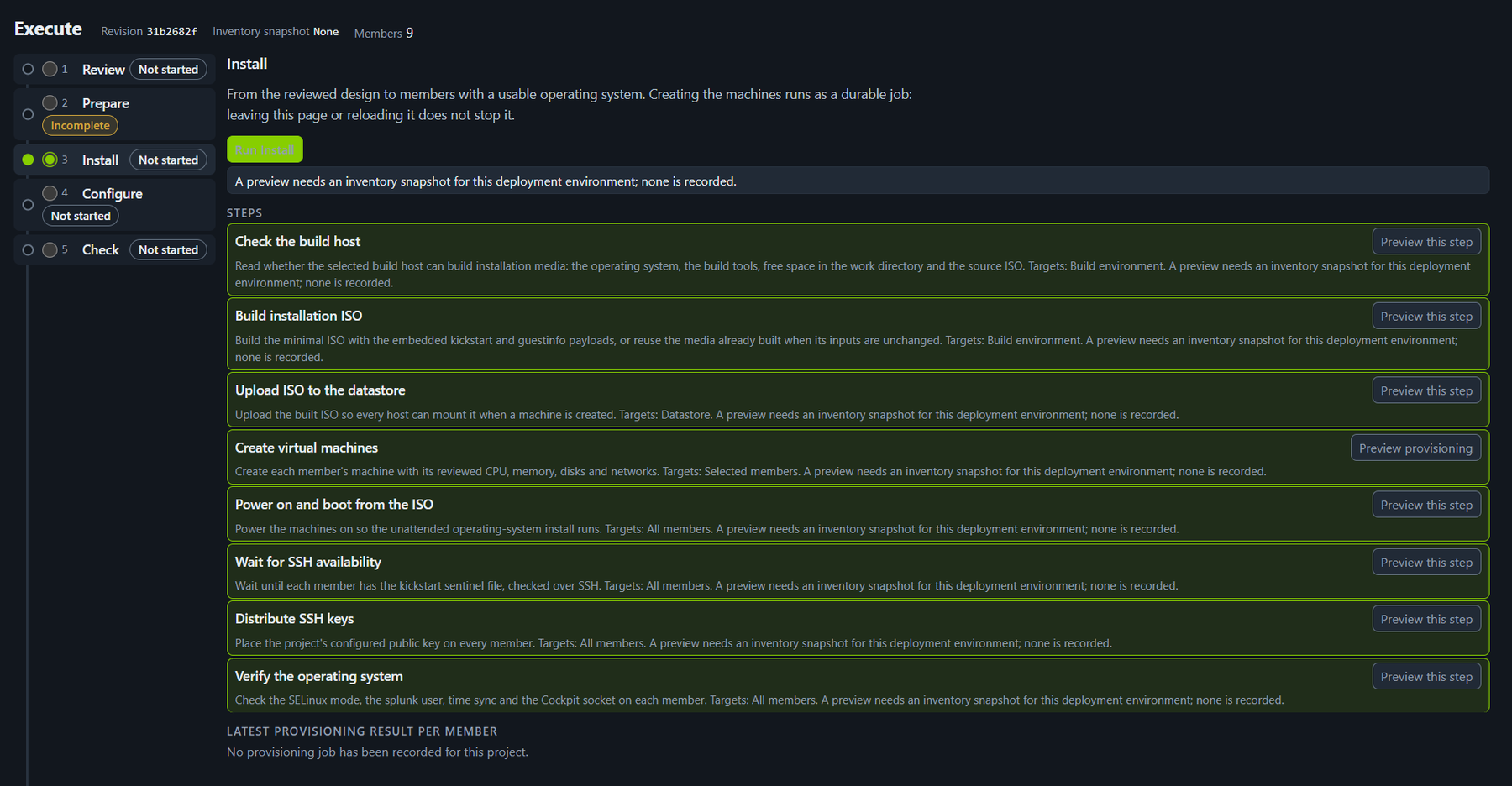
Install creates the machines and puts an operating system on each one.
Configure sets up Splunk itself, in the right order. The manager first, then the indexers, then the search heads.
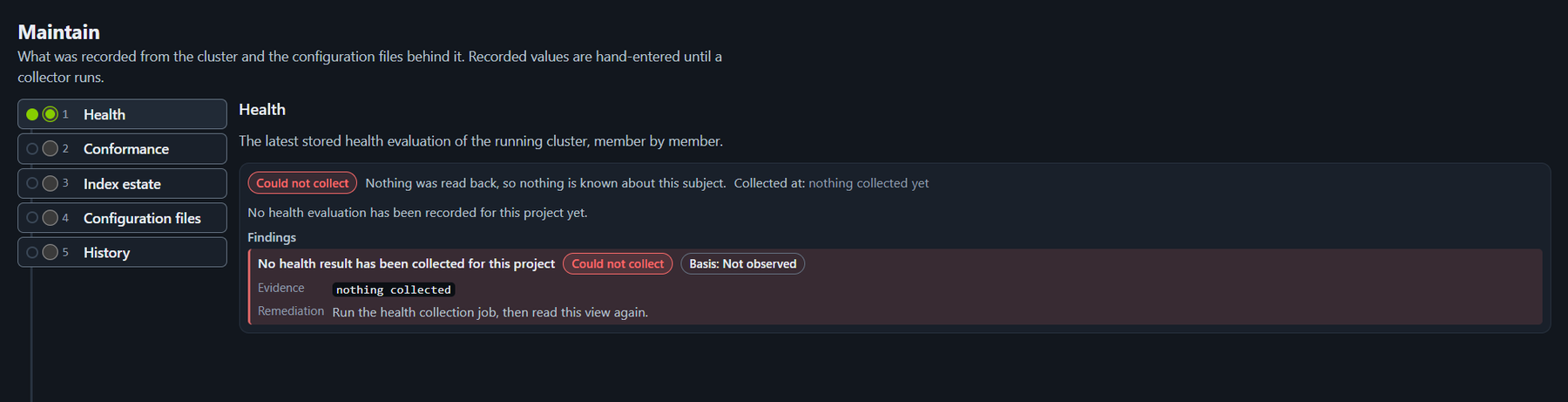
After the build, Maintain reads the cluster back.
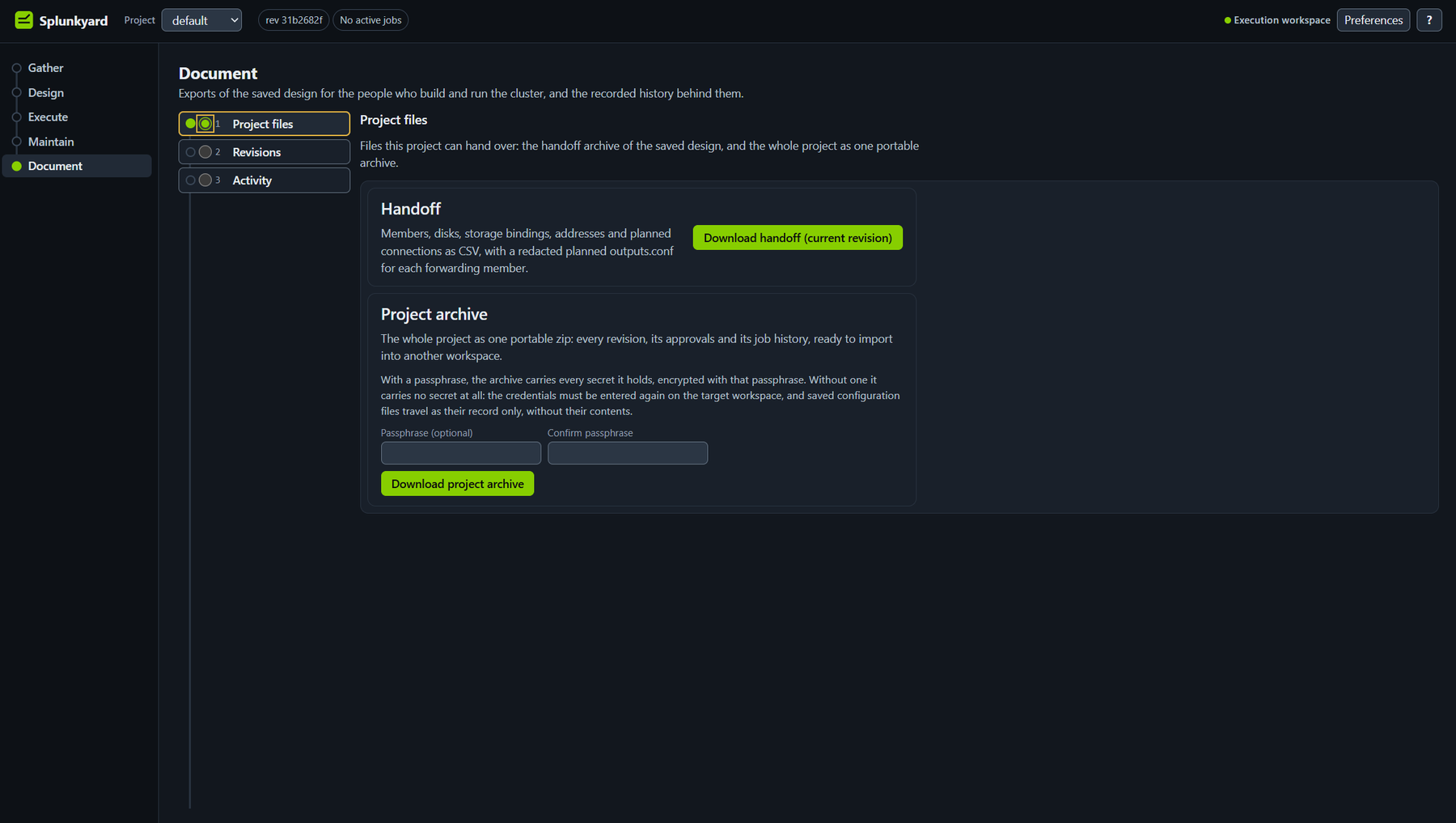
Document is the way out.
Version 1.2, alpha
It works end to end for the cluster shapes it supports. Source stays private.
The screens above show a new, empty project, so some pages say plainly that nothing has been collected yet.
Splunk is a trademark of Splunk Inc. Splunkyard is independent of Splunk Inc.